How-to
Create your account
Sign-up is open and needs no invitation. You fill in a form, confirm your email address, choose your password, then you arrive in FormulooPM.
Fill in the form
Link to the “Fill in the form” section- Open FormulooPM in your browser. Without a session, the Sign In page appears.
- Under the Sign in button, next to “No account yet?”, click Create one.
- On the Create your account page, enter your First name. The Last name is optional.
- Enter your Email address.
- Choose a Username of at least three characters.
- Click Create my account. The form does not ask for a password: you choose it after confirming your address.
Confirm your address
Link to the “Confirm your address” section- A Confirm your email address page appears. It shows the address the link has just been sent to.
- In your mailbox, open the email “FormulooPM: confirm your email address”.
- Click Confirm my address. The link is valid for 15 minutes.
On a device other than the one you signed up on, a Confirm your email address page appears first: click Continue.
Choose your password
Link to the “Choose your password” section- The Choose your password page appears right after the confirmation.
- Enter a Password of at least 12 characters. The criteria under the field are ticked as you type. See Choose a password.
- Type it a second time in Confirm your password.
- Click Save and continue.
In the browser you signed up in, FormulooPM opens directly. On another device, the Your account is up to date page appears: click Back to FormulooPM, then sign in with your email address and this password.
Take your first steps
Link to the “Take your first steps” section-
You arrive on the For you page. See Understanding the “For you” page.
-
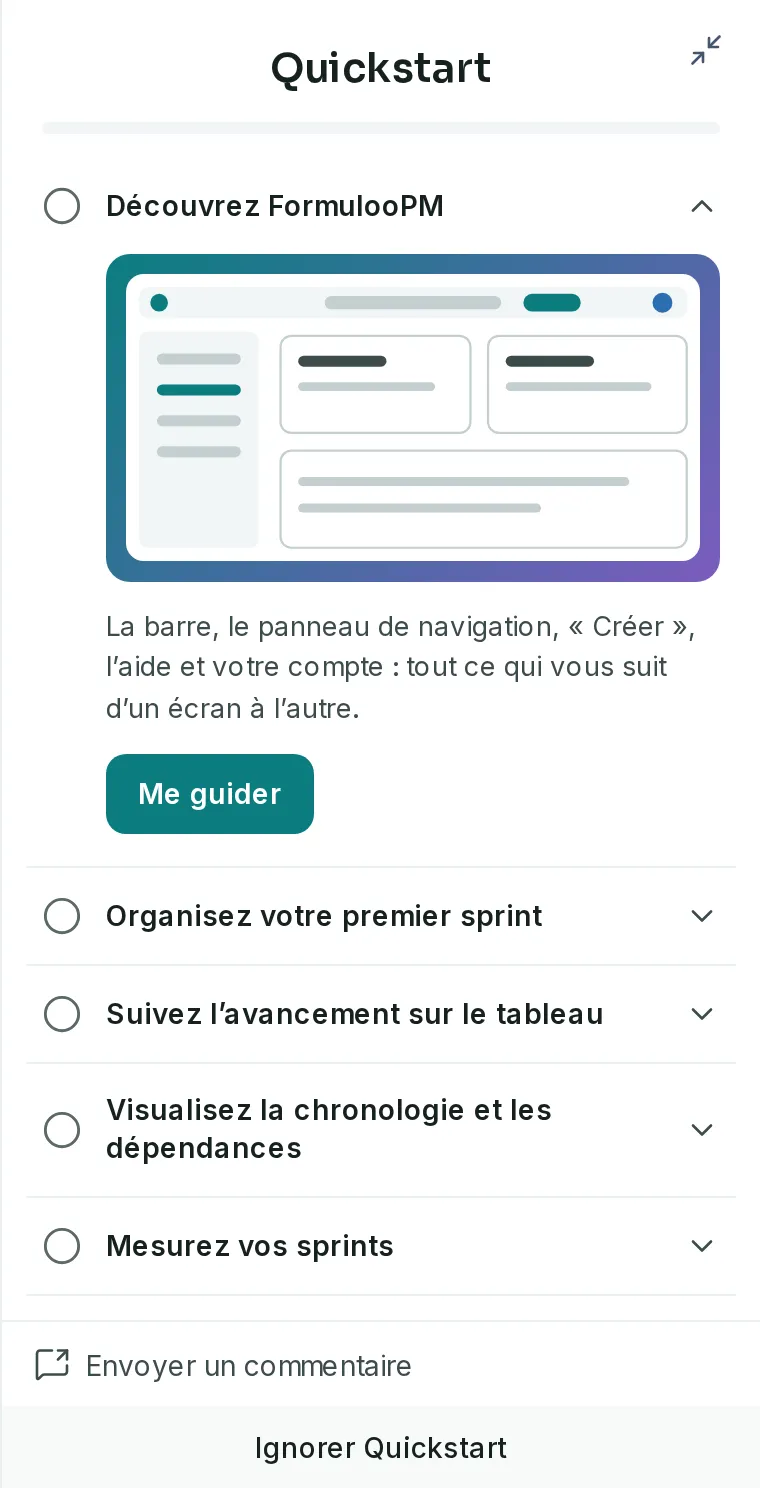
The Quickstart opens on the right, or full screen on a phone. On Discover FormulooPM, click Show me: the guided tour presents the bar in a few steps. See Take the guided tour.
-
Join a project. A new account is not a member of any project, and the page says so: “You are not a member of any project.” Create your own from Create, then Project, or ask a project Admin to add you to theirs.
If you get stuck
Link to the “If you get stuck” section| What you see | What to do |
|---|---|
| “An account already exists with this email address.” | You already have an account, perhaps created by an invitation. Sign in, or use Forgot Password? on the Sign In page. |
| “Invalid email address.” | Check the address you typed, then click Create my account again. |
| “Please enter your email address.” under the Username field | The username is empty. Enter one of at least three characters. |
| The password is refused, with a message under the field. | The message names the rule that is not met. Both password fields are emptied, so type them again, then click Save and continue. |
| No confirmation email arrives. | Look in your junk folder. On the Confirm your email address page, next to “Nothing received?”, click Send the email again. |
| “This link has expired.” | The 15 minutes are over, and the account has no password yet. On the Sign In page, click Forgot Password? and enter your address. The link you receive shows Confirm your email address and sends you a new confirmation link: follow it, then choose your password. |
| “This address is already confirmed: you can sign in.” | The link has already been used. Sign in. |
| “This link is for another account” | The email link is for another account than the one signed in on this browser. Click Sign out and continue, then confirm signing out: the link resumes for the right account. |
Good to know
Link to the “Good to know” section- Until the address is confirmed, the account has no password and signing in stays closed.
- Your email address is what you sign in with. It cannot be changed from your profile.
- The username cannot be changed after sign-up. You can also sign in with it instead of your address.
- The name your colleagues see is your display name. It is made of your first and last name, and you can change it in your profile.
- Whoever creates a project becomes its Admin. See Project roles and permissions.