How-to
Give feedback
A question, a bug, an idea: the “Give feedback” button sends your message to the FormulooPM product team, like Jira’s.
Open the window
Link to the “Open the window” sectionThe feedback button is a small speech-bubble icon:
- at the bottom left of the ticket creation windows, as in Jira;
- at the top of the help panel, next to the cross.
Its tooltip says Give feedback.
Send your feedback
Link to the “Send your feedback” section- Choose the subject: Ask a question, Leave a comment, Report a bug or Suggest an improvement.
- Under “Tell us more”, write your message, up to 2,000 characters.
- Tick the box if the product team may contact you: your address is only attached in that case.
- Click Send feedback.
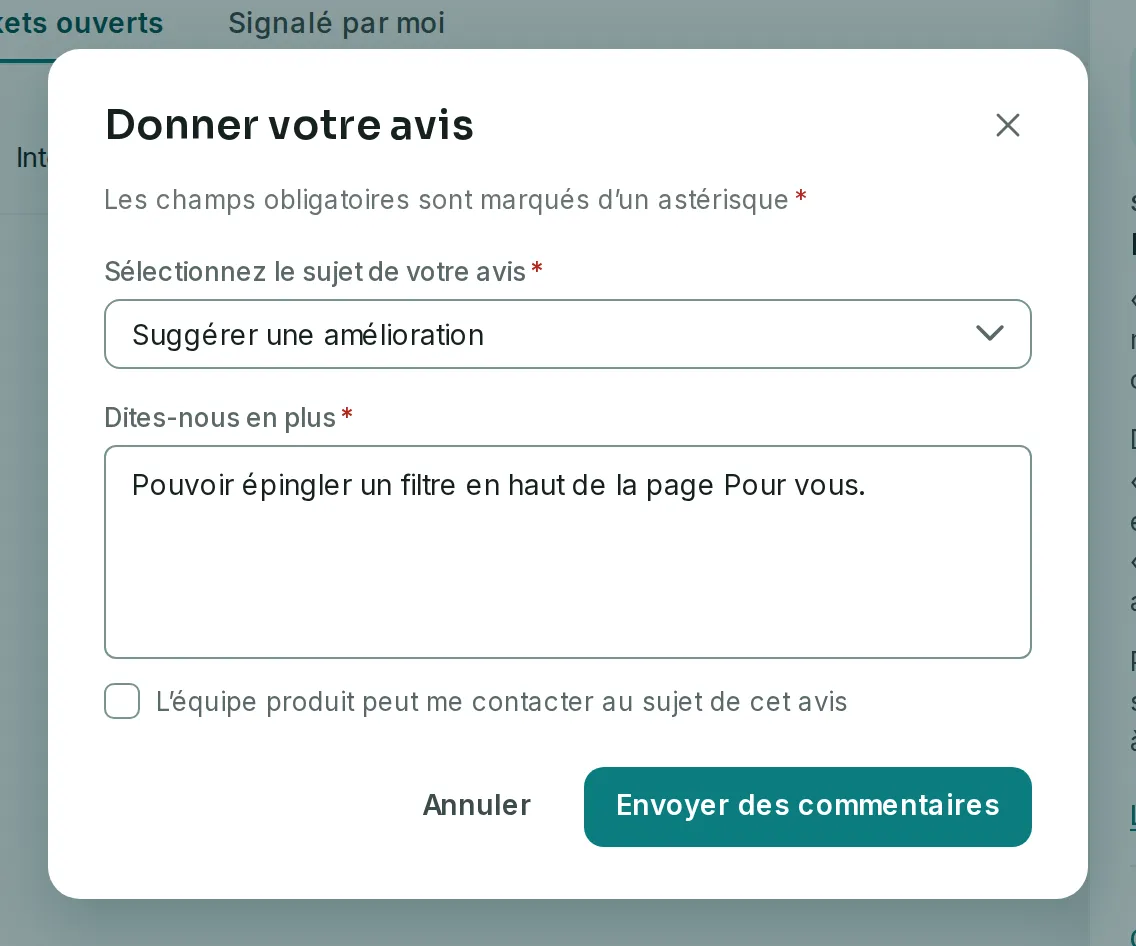
A message confirms that your feedback was sent. The screen you write from is attached, so that the team knows what you are talking about.
If you get stuck
Link to the “If you get stuck” section| What the screen says | What to do |
|---|---|
| “You have already sent five pieces of feedback this hour.” | Wait a little: your message stays in the window. |
| “Feedback sending is not set up yet.” | Feedback sending is not open yet. Try again later. |
| “Your feedback could not be sent.” | Try again in a moment. |
Loading search…