How-to
Choose your language
The FormulooPM interface is available in French and in English. You change language from your account menu, and this browser remembers your choice.
Change the language
Link to the “Change the language” section- In the bar, click your avatar, on the right. Your account menu opens.
- Click Language. The current language is written at the end of the row.
- In the submenu, click English or Français.
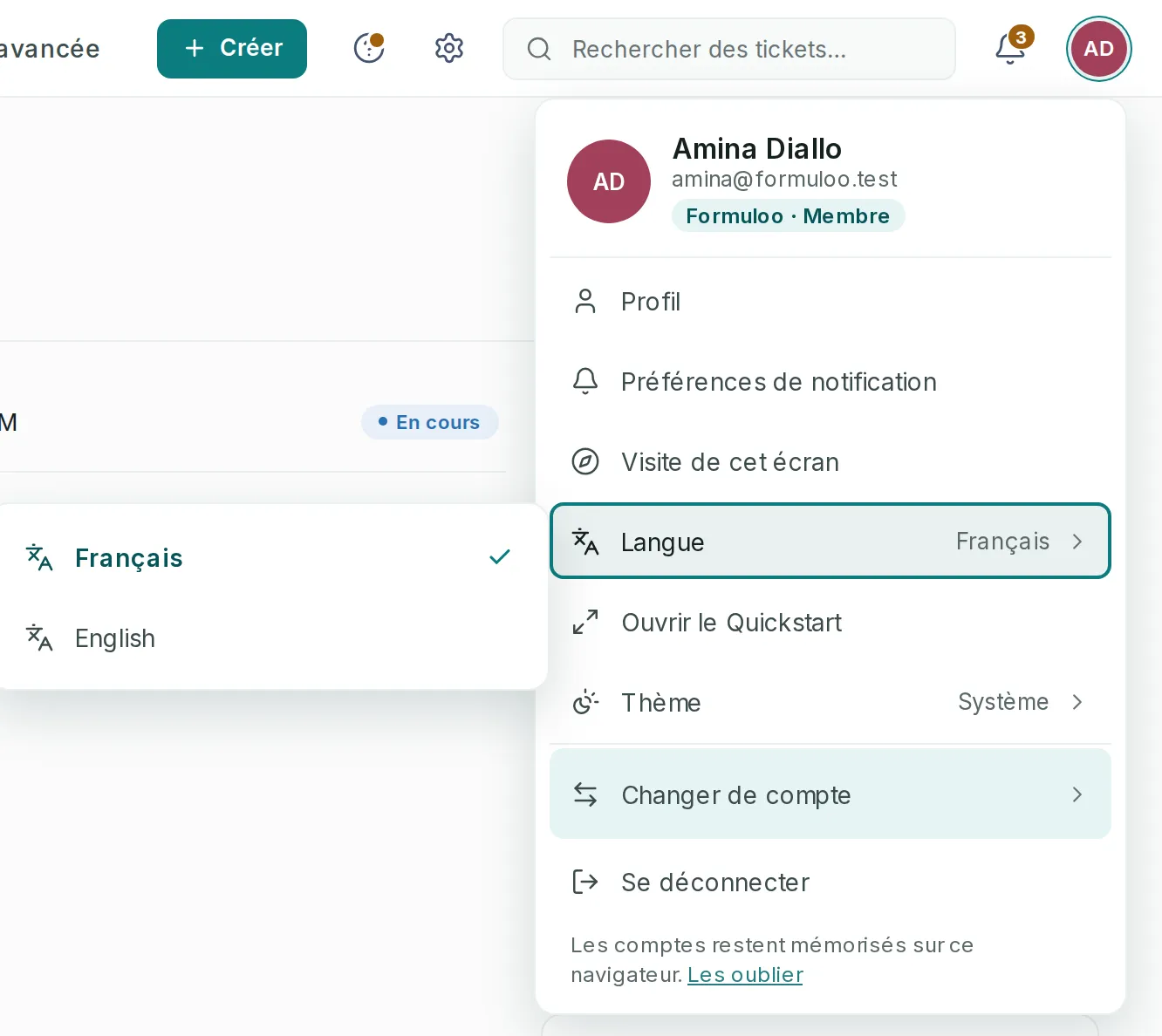
The interface changes at once, without reloading the page. The chosen language is ticked in the submenu.
Switch to English from the French interface
Link to the “Switch to English from the French interface” section- In the bar, click your avatar, on the right.
- Click Langue (Language).
- Click English.
Choose the language of the sign-in page
Link to the “Choose the language of the sign-in page” sectionThe sign-in, sign-up and password pages open in the language of the interface. You can also change it right there:
- Below the form, at the very bottom, click English or Français. The current language is in bold.
- The page reloads in that language. Re-enter what you had typed in the fields.
If you get stuck
Link to the “If you get stuck” section| What you see | What to do |
|---|---|
| The interface goes back to the previous language each time you open it. | This browser does not keep your choice, for example in private browsing. Choose the language again, or set your browser’s language. |
| On another computer, the language is not the one you chose. | The choice is remembered by each browser, not by your account. Make it again in this browser. |
| Some words stay in French in the English interface. | They are content typed by people: project and status names, tickets, comments. They are not translated. |
Good to know
Link to the “Good to know” section- The language changes the interface, the built-in help, and the sign-in, sign-up and password pages.
- Forgotten-password and address-verification emails are sent in the language of the page you request them from. Notification emails stay in French.
- Relative times, such as “2 hours ago” or “yesterday”, follow the chosen language.
Loading search…